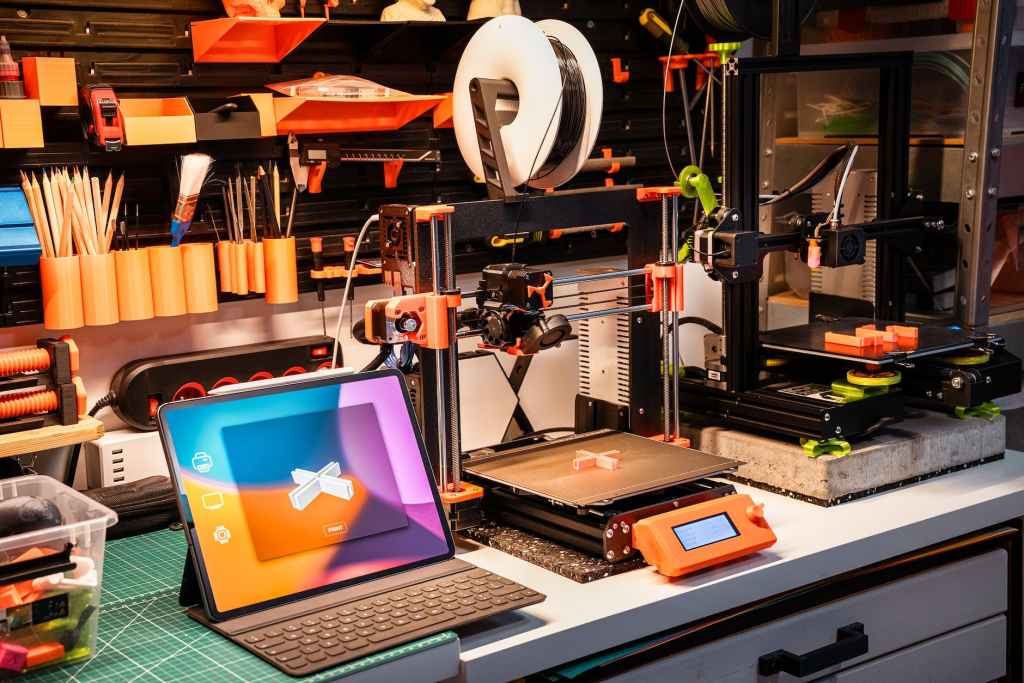

If you can think it, you can print it. Living in the world of today brings with it many technological marvels, and one such marvel is 3D printing. It is mind-boggling to imagine that someone can, essentially, print an object in three-dimensional space just like you can print words on a sheet of paper. This technology has found much use throughout the world, and “is commonly used in manufacturing and automotive industries, where tools and parts are made using 3D printers” (Daley). In addition, “3D printers have been used to manufacture everything from robots and prosthetic limbs to custom shoes and musical instruments” (Matulka). Believe it or not, however, the concept of 3D printing has been around since the 1980s: In 1983, engineer Chuck Hull created “the first-ever 3D printed part, inventing Stereolithography” (3D Systems). But how exactly does 3D printing work?
How it Works
3D printing is a type of manufacturing known as “additive manufacturing”, where material is built upon material to create objects (this is, essentially, the opposite of subtractive manufacturing, where an object is cut out from existing material). While it may seem like magic, 3D printing and additive manufacturing can be linked to a very natural geological phenomenon. It “can be found in rock formations deep underground”, where “dripping water deposits thin layers of minerals to form stalactites and stalagmites” (Matulka).
Before printing can begin, the printer needs to know what exactly it will be printing, just like how a regular printer needs to be sent a document before it will begin operating. However, since 3D printers create 3D objects, you must provide it with a digital 3D model of whatever it is you want it to print. This can be a model you made yourself (I have personally made multiple 3D models using TinkerCAD, a 3D modeling website) or a model you found online (such as from a website like Thingiverse, which I have also utilized frequently).
Once you have a 3D model, there is actually another step that needs to be taken before the 3D printer will function properly. Unlike humans, 3D printers “cannot conceptualize the concept of three dimensions”, so you “need to slice the model into layers in order for the printer to create the final product” (Daley). Essentially, when you slice a 3D model, you break it up into extremely thin horizontal layers for the printer to print, one on top of the other. To do this, you need a slicing software. Some printers come with a download for a slicing software, but, in other cases, you will need to download your own (I have personally used Ultimaker Cura and have found it sufficient). It is important to note that each printer and filament type may have specific settings (sometimes referred to collectively as a profile) for slicing, so keep those in mind before slicing a 3D model. In addition, during the slicing process, you may also need to add support structures to the model, especially if there are sharp angles or large overhangs. Many slicing softwares have adjustable options that will automatically add supports as needed to a model.
After your model has been sliced, “the printer needs to be prepared. This includes refilling the raw materials[,] … preparing the build platform[,]” and loading the sliced 3D model onto the printer (Matulka). Some printers come with microSD or SD cards that you can load your sliced models onto, while others can be connected to WiFi and be wirelessly sent sliced models. After all of these steps have been completed, all you will likely need to do is to start the print; after that, “the machine takes over, automatically building the desired object” (Matulka).
Matulka notes that, “depending on the size and complexity of the object, the entire process can take anywhere from minutes to days”, so plan accordingly when starting a print (Matulka). I personally do not recommend leaving a print unmonitored for long periods of time for two reasons: the first is for safety in the event that the machine malfunctions and the second is for efficiency, as sometimes a 3D model can begin to “spaghetti”. This is when part of the model either falls over or the printer becomes misaligned, causing the printer to attempt to print onto nothing. The material will still be “printed”, but will come out as strands of plastic/metal/etc.
Finally, “every object requires a bit of post-processing. This can range from unsticking the object from the build platform to removing support structures… to brushing off excess powders.” (Matulka). Generally, you should wait until the build plate has cooled down before removing any prints to prevent damage.
The below video, posted by Mashable, also wonderfully explains the 3D printing process.
Benefits & Detriments of 3D Printing
3D printing has many benefits, especially when it comes to manufacturing. For one, Matulka noted that “subtractive manufacturing can waste up to 30 pounds of material for every 1 pound of useful material in some parts, according to a finding from the Energy Department’s Oak Ridge National Lab”; thus, additive manufacturing (3D printing) can reduce the amount of waste materials produced from a given manufacturing process since it uses “less raw material and require[s] fewer manufacturing steps”.
In addition, 3D printers are useful for “what is called rapid prototyping. Companies all over the world… [can] employ 3D printers to create their prototypes in a matter of hours, instead of wasting months of time and potentially millions of dollars in research and development” (Daley). It, again, not just reduces the amount of materials utilized to create this prototype, but also can significantly decrease the amount of time it will take to create a prototype of an object. 3D printing also allows for the use of cheaper materials to build a prototype, helping to save even more money.
Lastly, “machines and devices wear down over time and may be in need of swift repair, which 3D printing produces a streamlined solution to” (Daley). Instead of needing to order a specific part for a machine (which may be pricy, sometimes even pricier than simply replacing the whole machine) and then wait for it to arrive, a company can instead 3D print it in-house, saving both time and money.
Of course, there are many other benefits to 3D printing as well, especially in terms of education, experimentation, artwork, and innovation. However, there are some possible detriments to 3D printing that must also be kept in mind. The biggest of these is that “building an object up layer by layer … can affect the durability and strength of the object” (Daley). In my own personal experience, whenever I had a 3D printed object break, it tended to break horizontally between layers. However, the durability of a print “relies heavily on what materials are used; metals and concrete will always be some of the strongest materials used in 3D printing”, while some plastics may not be as durable (Daley).
Nothing is perfect, and 3D printers may not always be, either. It is possible that “some smaller 3D printers, like desktop models, can wear out easily. This means that as the production of a design goes on, the products made later on may vary from the first batch” (Daley). This is partly dependent on the quality of the printer, as a higher quality printer will generally not be as prone to accuracy mistakes as a lower quality one. In addition, the type of 3D printer can also have an impact on product quality and accuracy.
Finally, and while relatively minor, 3D printing does occasionally require post-production work, which “might include sanding or smoothing out an object, heat treatment or removing support struts” (Daley). While this may not be a detriment to some, it may be considered a huge detriment by others.
Types of Printers
3D printers “can come in a variety of shapes and sizes[,] ranging from equipment that can fit on a desk to large construction models used in the making of 3D-printed houses” (Daley). Not only that, but there are multiple processes that can be used to 3D print an object. The most common process, however, is known as material extrusion (Matulka). Matulka’s article on the United States Department of Energy provides a list and accompanying definitions of the main types of 3D printers available today:
Matulka
- Material extrusion: [This process] works like a glue gun. The printing material — typically a plastic filament — is heated until it liquefies and extruded through the print nozzle. Using information from the digital file — the design is split into thin two-dimensional cross-sections so the printer knows exactly where to put material — the nozzle deposits the polymer in thin layers, often 0.1 millimeter thick. The polymer solidifies quickly, bonding to the layer below before the build platform lowers and the print head adds another layer…
- Material Jetting: Just like a standard desktop printer, material jetting deposits material through an inkjet printer head. The process typically uses a plastic that requires light to harden it (called a photopolymer) but it can also print waxes and other materials. While material jetting can produce accurate parts and incorporate multiple materials through the use of additional inkjet printer nozzles, the machines are relatively expensive and build times can be slow.
- Binder Jetting: In binder jetting, a thin layer of powder (this can be anything from plastics or glass to metals or sand) is rolled across the build platform. Then the printer head sprays a binding solution (similar to a glue) to fuse the powder together only in the places specified in the digital file. The process repeats until the object is finished printing, and the excess powder that supported the object during the build is removed and saved for later use. Binder jetting can be used to create relatively large parts, but it can be expensive, especially for large systems.
- Powder Bed Fusion: Powder bed fusion is similar to binder jetting, except the layers of powder are fused together (either melted or sintered — a process that uses heat or pressure to form a solid mass of material without melting it) using a heat source, such as a laser or electron beam. While powder bed processes can produce high quality, strong polymer and solid metal parts, the raw material choices for this type of additive manufacturing are limited.
- Directed Energy Deposition: Directed energy deposition can come in many forms, but they all follow a basic process. Wire or powder material is deposited into thin layers and melted using a high-energy source, such as a laser. Directed energy deposition systems are commonly used to repair existing parts and build very large parts, but with this technology, these parts often require more extensive post processing.
- Sheet Lamination: Sheet lamination systems bond thin sheets of material (typically paper or metals) together using adhesives, low-temperature heat sources or other forms of energy to produce a 3D object. Sheet lamination systems allow manufacturers to print with materials that are sensitive to heat, such as paper and electronics, and they offer the lowest material costs of any additive process. But the process can be slightly less accurate than some other types of additive manufacturing systems.
- Vat Photopolymerization: Photopolymerization — the oldest type of 3D printer — uses a liquid resin that is cured using special lights to create a 3D object. Depending on the type of printer, it either uses a laser or a projector to trigger a chemical reaction and harden thin layers of the resin. These processes can build very accurate parts with fine detail, but the material choices are limited and the machines can be expensive.
As can be seen, each type of 3D printer has various benefits and levels of usefulness when compared with the others, which makes the printing possibilities nearly endless. Thus, before you start getting into 3D printing, make sure you do some research into the type of printer you want as well as various 3D printing brands!
Resources & Further Reading
3D Systems. “Our Story.” 3D Systems, 3D Systems, Inc., 24 Sept. 2021, www.3dsystems.com/our-story.
Daley, Sam. “How Does 3D Printing Work?” Edited by Jessica Powers, 3D Printing: What It Is, How It Works and Examples | Built In, Built In, 28 July 2022, builtin.com/3d-printing.
Matulka, Rebecca. “How 3D Printers Work.” Energy.Gov, United States Government, 19 June 2014, www.energy.gov/articles/how-3d-printers-work.



 The H.A.C.K.E.R. Project
Leave a comment